 Buy Emoji Bot Team · Updated 2026-03-28
How to Create Custom Emojis for Telegram
Custom Telegram emojis can be any image you want - animated and rendered in a small format that works in messages, reactions, statuses, and bios. This guide covers how to create your own pack in about 5 minutes.
Who Uses This
USE CASESStep by Step
THE PROCESS1. Open Buy Emoji Bot
Go to Telegram and search for @BuyEmojiBot, or tap the direct link below. Hit /start and the bot guides you through everything.
2. Set up your pack
The bot asks you to configure three things:
3. Upload your image
Send any image to the bot. It handles the rest.
| Format | Notes |
|---|---|
| PNG | Best results. Transparent backgrounds recommended. |
| JPG / WebP | Works great. Bot adds backgrounds automatically. |
| SVG | Vector files supported. Up to 10MB. |
Square format is ideal. The bot converts and optimizes your image for the animation style you pick next.
4. Pick an animation style
This is where it gets interesting. There are 24 unique animation styles organized in 5 categories. Each one transforms your flat image into something animated and visually distinct.
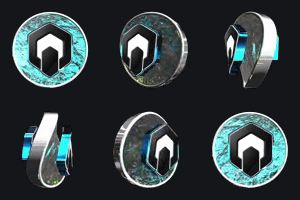



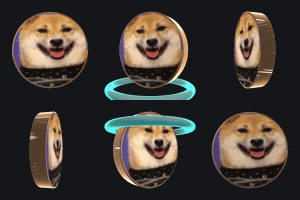





Browse the full collection to see how each style looks on real emojis before you create yours.
5. Pay and get your pack
The bot generates a wallet address. Send payment and your pack is delivered instantly.
| Network | Accepted Tokens |
|---|---|
| Ethereum | ETHUSDTUSDC |
| BSC | BNBUSDTUSDC |
| Solana | SOLUSDTUSDC |
You get a direct link. Tap it on Telegram, hit "Add", and your emojis are ready. Other people see the animation even without adding the pack.
FAQs
FAQSReady to create your emoji pack?
Open the bot, upload your image, and have your animated emojis in Telegram within minutes.